Showing posts with label How To. Show all posts

How To Download Website Using HTTrack Website Copier

HELLO , guys  today I came with a new trick for Internet and Pc from fulltricksbuzz. Sometimes
when we try to put our hands in blogging , web designing. We might sometimes not get a better design, data , fonts,scripts. Which we have seen on other sites . so, I came with a solution that you can download the whole website with just few simple and easy steps. Using the widely used software HTTrack.

How to use Snapchat new features: Snapchat adds new face swap feature, Chat 2.0, Emoji stickers for video

How to use Snapchat new features: Snapchat adds new face swap feature, Chat 2.0, Emoji stickers for video


How to use new Snapchat: Emoji videos

If you're running the latest version of the Snapchat app you can add emoji stickers to your videos. These can be pinned to anything in the video, and will move with that thing. They're resizable, too.
To add emoji stickers to a Snapchat video just tap the add sticker icon and choose an emoji, then press and hold to pin on your Snapchat video.
Image result for snapchat logo

HOW TO CHANGE APP ICON YOU IF YOU DON'T LIKE IT

HOW TO CHANGE APP ICON YOU IF YOU DON'T LIKE IT

Stop me if you're heard this one: you've got an app you love to use, one with excellent features and snappy response time. But every time you go to open in, you just shake your head and wonder what the developer was thinking when they were creating that icon. Some of us hide ugly icons in folders, just so we have to look at them less. But there's another way, a better way.
We can replace that icon entirely. And you don't even have to use a fancy theming launcher. You just need Awesome Icons.
Awesome Icons is a simple app with a simple premise: it's a shortcut creator. You pick an app, an icon, and a label, and Awesome Icons creates a new app shortcut on your home screen to use instead of the one you'd find in your app drawer. The shortcuts can then be moved around to your intended place on the home screen, even folders and docks.
Click a better icon, click create, and enjoy a shiny new shortcut.
When you open the app, you'll see a list of your installed apps, and under each app will be a carousel of different icons available for that app from installed icon packs. If you tap on one, it'll bring up the shortcut creation screen, where you can see what app you're linking to, the icon you selected, and you can change the label to read something other than the default app name. Once you hit OK and go back to the home screen, there's a shiny new shortcut waiting for you.
For your theming convenience, you can dim the rest of the screen except the icon, which can be useful in selecting icons for a dark theme or for weeding out icons with a lot of white in them that may not be as visible in the normal view. If you want to create a shortcut with a different icon than the ones in the carousels, you can tap the + in the top bar to open a blank custom shortcut.
Make any image, any icon, open any of your installed apps. Use it to theme or just to camouflage.
Select any app and icon you like, change your label as needed, and then it's ready to for your home screen. This is also a good tool for hiding apps that you may not want other people seeing on your home screen, like a banking app or your adult apps.
While you can use this to theme every icon on your home screen in launchers that don't work with icon packs — or don't work with icon packs from the Google Play, like Samsung TouchWiz and HTC Sense — it can get time-consuming. I still recommend using a launcher that supports icon packs before using Awesome Icons to replace them all. Also, these shortcuts won't change the icon in your app drawer, but at least you can have beautiful icons on your home screen. And if you have beautiful icons on your home screen, you won't need to seek out the ugly icon in your app drawer as much. What app icons do you want to hide?
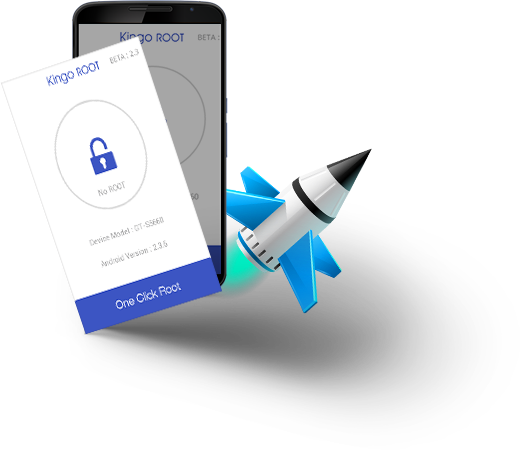
HOW TO ROOT YOUR PHONE EASILY

HOW TO ROOT YOUR PHONE EASILY

HELLO, friends now a days people are more excited to make their mobile phone rooted 
but when it comes to root your phone. it comes out to be a very tough than ever anything
but friends I gonna revealing this trick that how can you easily root your phone easily 
with an great app ever kingo ROOT 
How To Enable developers Option & Uses

How To Enable developers Option & Uses

Every Android smartphone and Android tablet contains a secret set of options: Android Developer Options. As the name suggests these are intended principally for developers - people who need additional functions to test software and apps they are writing for Android devices. There are many options that allow you to simulate app stresses or enable debugging options.
3 SEO Mistakes that Bloggers Commonly Make

3 SEO Mistakes that Bloggers Commonly Make

Image result for blogger appThe world of SEO can appear intimidating to those who are approaching it for the first time. However, once you get past the industry jargon and plethora of acronyms, you will likely find that the bulk of SEO best practice is largely common sense.Search Engine Optimization, in its simplest terms, is ensuring that your site is as easy to find and as attractive to search engines as possible. Google and the like exist to provide those surfing the web with the most efficient and relevant sites according to their needs. Therefore, when trying to optimize your site, you are principally making your site as attractive and useful to your target audience – which should be your goal as a webmaster anyway, whether you are actively considering SEO or not. That being said, there are certain rules of thumb that those who have never embarked upon SEO will not be innately aware of.


Now that web hosts such as www.1and1.com are offering unlimited web space for as little as $1, it seems that it has never been easier or more affordable to set up a blog. The next, much greater challenge is to bring people to that blog. We’ll look at three SEO mistakes that bloggers commonly make, but which can be easily rectified so that readership on your blog hopefully increases.
  • Keyword Research
Keywords are anything that someone types into a search engine, from ‘buy new Doc Martens’ to ‘holidays in Spain’ to ‘what was David Bowie’s first album’. Before writing a blog post, it is important to conduct keyword research so that you can identify the most popular keywords that your potential audience are searching for and then incorporate them into your text. This will heighten the chance of this particular post being ranked in one of the top positions on a Search Engine Results Page (SERP) for those particular keywords.
Be sure to only add the strictly relevant keywords. If you are solely a fashion blog and repeatedly use the keyword ‘buy Doc Martens’, those looking to actually buy Doc Martens may turn up on your site, only to find that they cannot buy the shoes there, and will quickly leave. This will increase your bounce rate and may affect your future ranking.
Similarly, avoid ‘keyword stuffing’ like this example: ‘I have always loved Doc Martens because I think that retro Doc Martens can match almost any outfit for Doc Martens. I have recently bought some new Doc Martens and so now in our house we have Doc Martens for men, Doc Martens for women and also Doc Martens for children.’ A decade ago this may have pushed you up the SERPs, but the search engines can now easily identify unnatural keyword stuffing and your site will be made to suffer for it.
  • Duplicate Content
As a rule of thumb, it is best to avoid duplicate content. Search engines may regard duplicate content as proof of ‘site scrapping’; this is essentially pillaging the content from another person’s site to benefit your own. Of course, many bloggers repost content from other blogger’s in a perfectly legitimate and open fashion. Doing so can be beneficial to both bloggers and your audience. It is simply important to make sure that the search engines are aware of what is going on. Ensure that you state openly on the page that this is content originally posted from another site, and insert canonical tags into your code. Read more about this here.
  • Hindering Sharing
No one can deny the marketing potential of social media today. Ensure that it is easy for your visitors to share your posts via their accounts. Incorporate social media buttons on the side of each post so that with just a couple of clicks the post can be shared. Note that offering too many of these buttons can be a turn off; you will find that visitors simply won’t share it at all if they have too many options to choose from. Identify which platforms have the most potential and offer no more than four buttons. Don’t waste your time on niche sites such as Evernote and Diigo if your target audience aren’t on them.
Best Apps to Listen to Music without Wi-Fi or Internet for Android and iOS

Best Apps to Listen to Music without Wi-Fi or Internet for Android and iOS

Hi Folks!! It’s summer time which means vacation time! Are you planning to go on a trip with your friends or family? Then you might be quite busy in packing your bags with all necessary things and other useful stuff. But before you go, you need to sort out a few essentials. It’s not just your passports and sunscreen but, the critical summertime playlists. When at home or in the office streaming your favourite tracks is pretty relaxed and feels like a stress booster but doing the same abroad and you risk being hit with massive data charges.